Jot for Shopify
Feedback on your Shopify store, before customers find it.
Paste one script into your theme's layout and reviewers can pin what is wrong on any storefront page, with the screenshot, selector, browser and replay for whoever fixes it.
Install
<script
  src="https://cdn.jsdelivr.net/npm/@usejot/widget@1/dist/jot.js"
  data-jot-key="jot_pk_…"
  data-jot-edge="right"
></script>
- From your Shopify admin, go to Online Store.
- Duplicate your theme first, so there is a copy to go back to.
- Click … next to the theme, then Edit code.
- Open layout/theme.liquid, paste the Jot script just before the closing </body> tag, and save.
Steps from Shopify’s own help, checked on 6 Nov 2026. Source · Script tag guide
What you get
Every report arrives ready to fix.
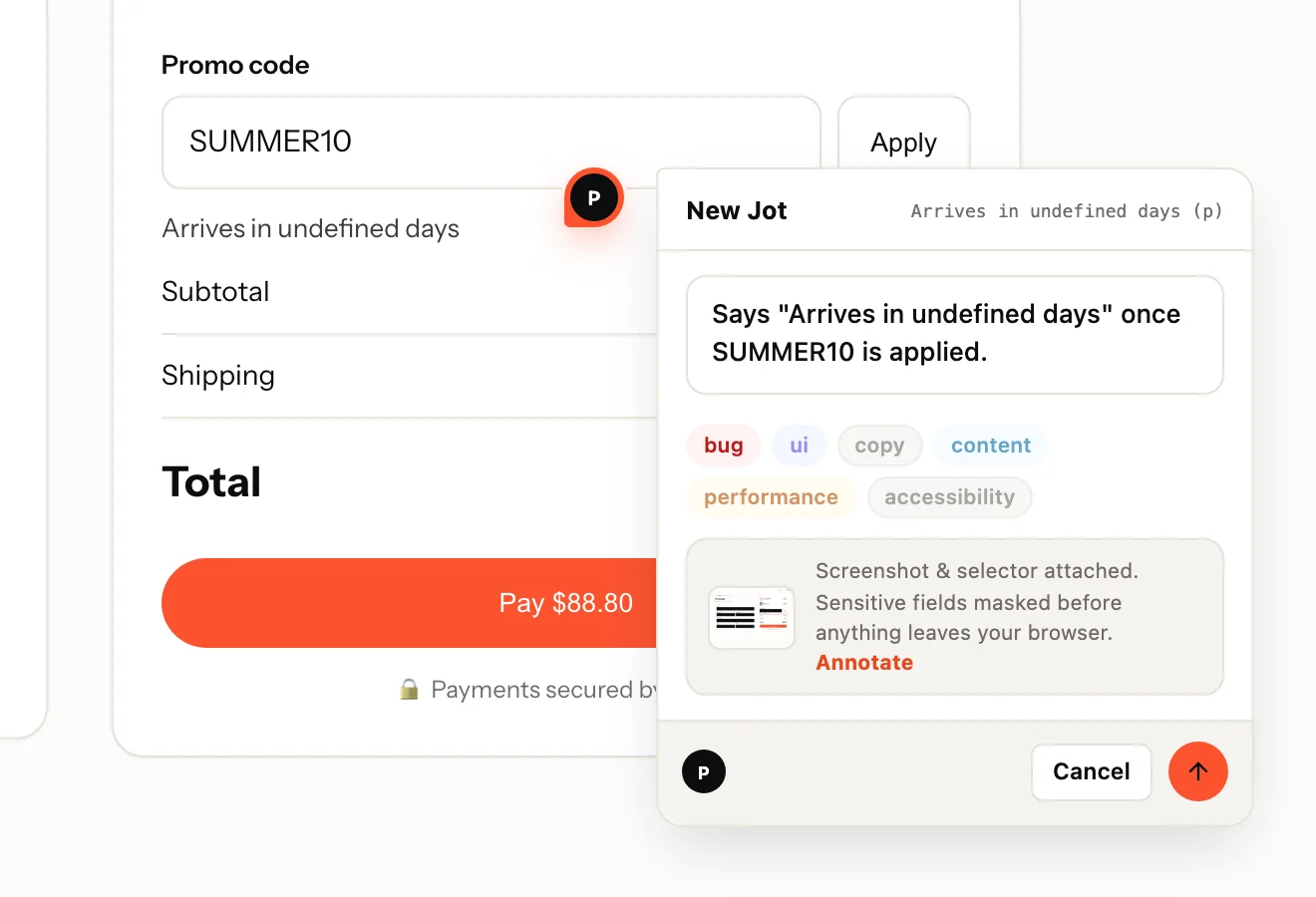
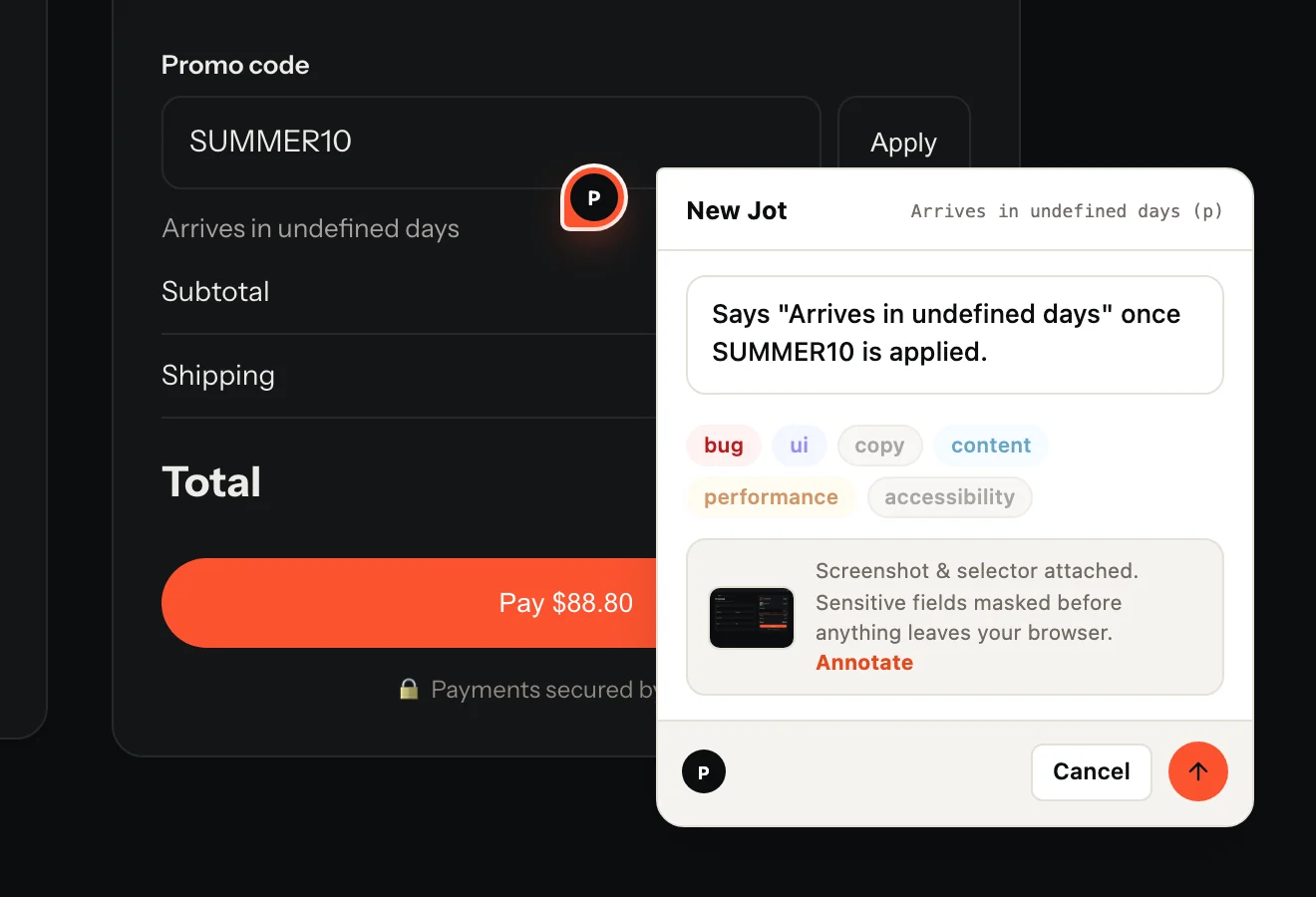
- The reviewer's sentence and labels, pinned to the element
- A screenshot of the page as they saw it
- The URL and the element's CSS selector
- Browser, operating system and screen size
- On Record: a replay of the page, with console and network on one timeline
Made for Shopify
What is specific to Shopify
- The same script tag as any website: no plugin of ours to install or update, and data-jot-edge picks the side the tab sits on.
- The loader is under 3 KB gzipped, enforced in CI. The widget loads when someone opens the tab, the recorder only when they press Record.
- Everything renders in a shadow root behind a collapsed edge tab: no styles leak either way and the page never shifts.
- Inputs are masked in the browser before anything is uploaded, so what a shopper types into a form is not in the screenshot or the replay.
On Shopify
- Shopify's guide names no plan for editing theme code, but a paid theme has to be bought, not on trial, before its code can be edited. Source
- Theme layouts cover every page except checkout, so Jot is not on checkout pages. Source
- A theme update can drop the edit: Shopify says conflicting code changes are removed in the updated copy, so paste it again after updating. Source
From Shopify’s own help pages, checked on 6 Nov 2026.
Questions
Which Shopify plan do I need?
On Shopify: any plan that lets you edit your theme's code; checkout pages are not covered. On Jot, any plan: the widget, session replay and unlimited reviewers come with Free.
What does Jot record, and what does it never see?
A screenshot, the URL, the clicked element's CSS selector, the browser, OS and screen size, and, when the reviewer presses Record, a replay with console and network. Inputs are masked in the browser before anything is uploaded; add .jot-mask to mask text or .jot-block to leave an element out entirely.
Do reviewers need an account?
They never need a dashboard login. On a public project they type and send; on a members-only project they confirm a 6-digit code emailed to them, inside the widget. Reviewers are free and unlimited on every plan.
Also on: WordPress · Webflow · Squarespace · Wix. Send Jots to: GitHub · Linear · Jira · Trello · Microsoft Teams
Your first Jot is a minute away.
Start free. Reviewers are always free, on every plan.