Jot for React Native
In-app feedback for React Native, pinned on the real screen.
Wrap your app in JotProvider. Reviewers tap the broken thing and type one sentence; your team gets the screen, the element, a masked screenshot, the device and the build, and, when they record, video with console and network.
Install
npx expo install @usejot/react-native
import { JotProvider } from "@usejot/react-native";

<JotProvider projectKey="jot_pk_…">
  <App />
</JotProvider>
Your project key is in the dashboard once you create a project. Full React Native guide
What you get
Every report arrives ready to fix.
- The reviewer's sentence and labels, pinned to the element
- A screenshot, masked on the device
- The screen and the element
- The device and its operating system
- On Record: video with console and network
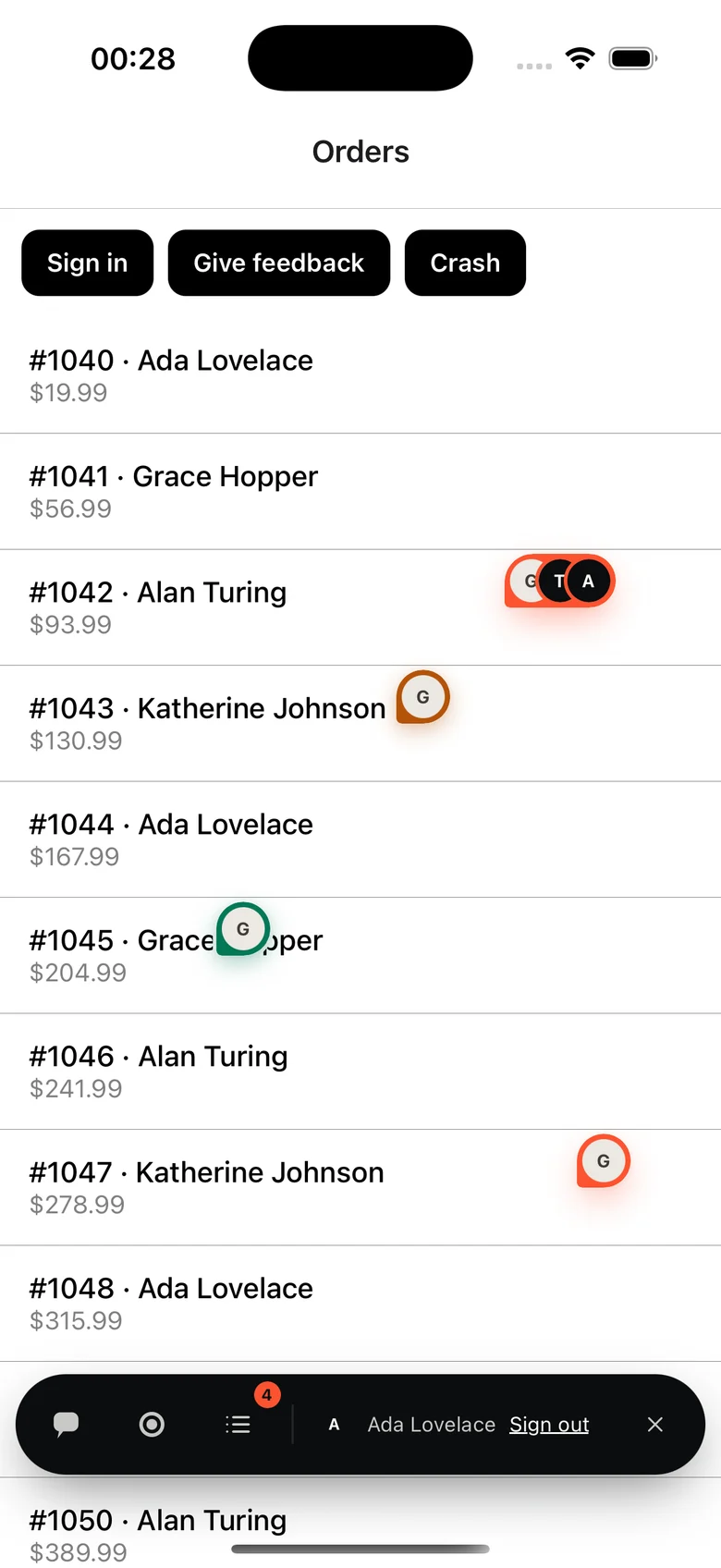
Made for React Native
What is specific to React Native
- Pass your React Navigation navigationRef and each pin is named by its screen.
- iOS and Android, React Native 0.80+ on the New Architecture, Android 7+.
- Expo: npx expo install adds the config plugin. It needs a development build, not Expo Go, because Jot has native code.
- useJot() opens Jot from your own UI; trigger switches between a floating button and an edge tab.
Questions
Is anything sensitive captured?
Masking happens on the device, before a screenshot or recording exists. Password fields are always blacked out; wrap anything else in JotMask.
Does it work with Expo Go?
No. Jot has native code, so it runs in an Expo development build or a bare React Native app.
Do reviewers need an account?
They never need a dashboard login. On a public project they type and send; on a members-only project they confirm a 6-digit code emailed to them, inside the widget. Reviewers are free and unlimited on every plan.
Also on: JavaScript · React · Next.js · Vue · Nuxt · Svelte · Angular · Flutter. Send Jots to: GitHub · Linear · Jira · Trello · Microsoft Teams
Your first Jot is a minute away.
Start free. Reviewers are always free, on every plan.